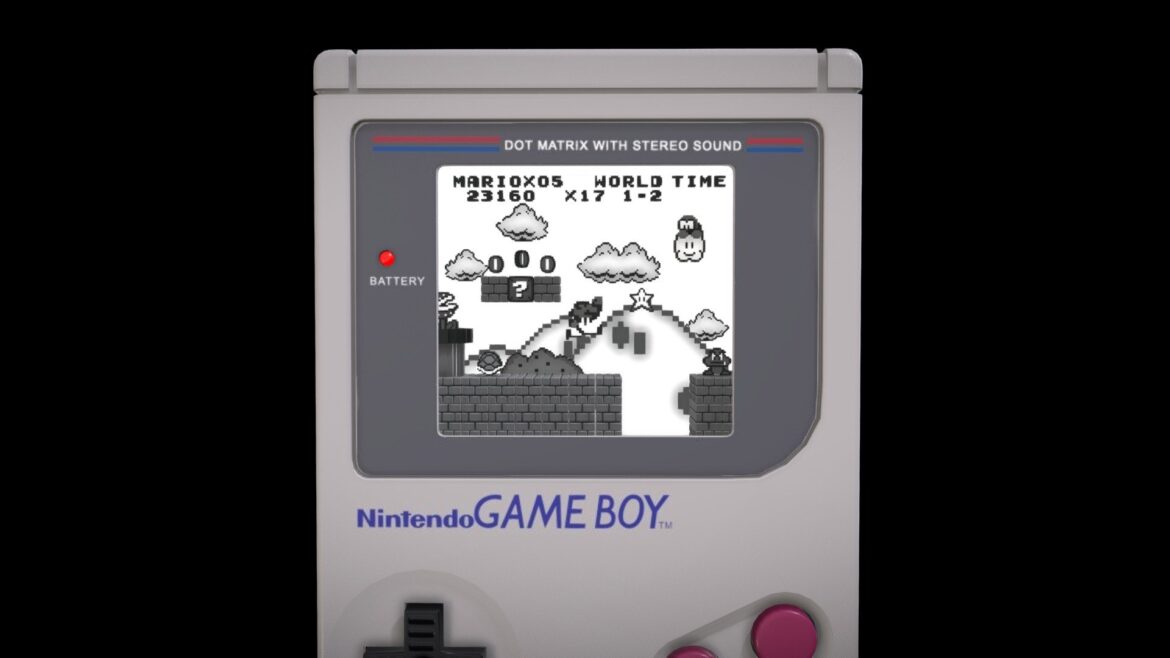
Step-by-Step:Concept and Initial Modeling: I began by sketching the idea of a classic Gameboy in Photoshop. Then, in Blender, I meticulously modeled the Gameboy, paying attention to details including buttons, screen, and even the rubberized texture of the casing.Detailing and Texturing: To add realism, I detailed the Gameboy in Blender, working on the buttons, edges, and embedded textures. I then exported the model to Substance Painter for texturing.Substance Painter: I used Substance Painter to add authentic textures. Here are the key textures:Gameboy Casing: Plastic texture with a subtle roughness map for tactile feel.Buttons: Rubber texture for buttons with subtle relief and roughness maps.Relive childhood memories with the “Retro Gameboy with Mario Adventure.” Take a closer look at the interactive model on Sketchfab and enjoy the animation video on my Instagram Reels (https://www.instagram.com/reel/CuAz9QfujFa/)
Extended Use License
has been added to your cart!
have been added to your cart!
Your Recently Viewed Downloads
 Futuristic Stairs Basic Version
 You must log in and be a buyer of this download to submit a review.
| ABOUT THE SELLER |
 |
| SELLER-USER-NAME | Matheuskina |
| 3D Model formats | FBX, OBJ, BLENDER, TEXTURES, Materials |
| 3D Model details | VR / AR / Low-poly, Textures, Materials, UV Mapping, Scale transformations |
| Triangles | 105.7k |
| Vertices | 92.4k |
| Category | Characters & Creatures, Electronics & Gadgets |
| Tags | blender, diorama, gameboy, geek, mario, mariobros, nintendo, nintendogameboy, pixel, supermario, videogames |